
34-inch QD-OLED monitor
Alienware AW3423DWF
The first-generation 34-inch QD-OLED ultrawide: 3440×1440 at 165Hz over DisplayPort, 0.1 ms, DisplayHDR True Black 400 and FreeSync Premium Pro. Dell no longer stocks it; Amazon still sells it new.
Check Price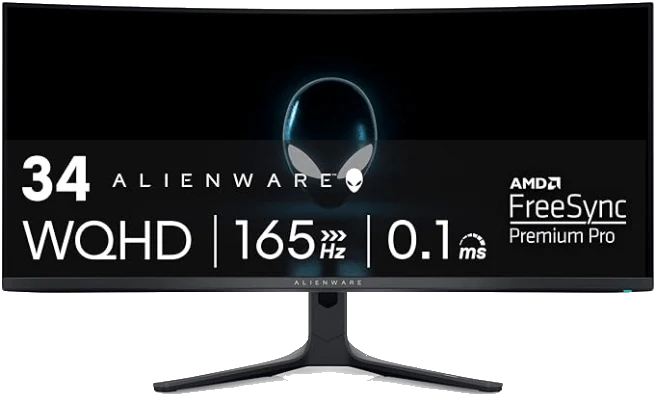
- 165HzDisplayPort; 100Hz on HDMI
- 0.1 msgray-to-gray
- 1000 nitspeak; 250 typical
- 99.3%DCI-P3
Should you buy it?
Buy it if
- You play single-player games on a PC. At 165Hz over DisplayPort with a 0.1 ms response, the panel is fast enough for them, and OLED blacks are the reason to buy it.
- You run two PCs. It has two DisplayPort 1.4 inputs. The AW3423DW has one.
Look elsewhere if
- You play on a console. The one HDMI port is 2.0 and stops at 100Hz, and consoles don't output 21:9, so you get black bars at the sides. The AW3425DW has two HDMI 2.1 ports.
- You play fast shooters. The AW3425DW runs the same resolution at 240Hz, and the AW3426DW at 280Hz.
- You read and write text all day. QD-OLED subpixels sit in a triangle, so small dark text on a white background shows faint color fringes.
What to know before you buy
HDMI is the limit
The AW3423DWF's console mode accepts a 4K 60Hz signal and scales it down, but the HDMI 2.0 port tops out at 100Hz. Connect a PC over DisplayPort and keep HDMI for a console. In the box you get a DisplayPort cable and a USB-C to DisplayPort cable, which suits laptops that output video over USB-C.
Burn-in and pixel refresh
Dell sells it with a 3-year warranty that includes burn-in; the terms differ by region, so check the exact model page. After 4 hours of use the monitor reminds you to run a pixel refresh. If you ignore it, the refresh runs the next time the monitor goes into standby. It takes about 7 minutes with the screen off, so don't unplug it during the cycle. Auto-hiding the taskbar slows burn-in down.
Update the firmware first
On hardware revisions A00 to A03, HDR colors look washed out until you install firmware M3B104 or newer. Check yours under Others > Display Info, update from Dell's support site, then run the Windows HDR Calibration app. Full-screen HDR looks dimmer than the 1000-nit figure suggests, since that figure applies to small highlights.
It has a fan
A fan cools the panel. Its speed follows panel and room temperature, and it can keep running while the monitor sleeps, during a pixel refresh for example. Next to a gaming PC under load it is easy to miss; in a silent room you may hear it.
Text and bright rooms
At 34 inches and 3440×1440 the pixel density is about 110 PPI, the same as a 27-inch 1440p screen. QD-OLED has no polarizer, so in a bright room blacks turn dark grey. For a full day of documents, an IPS panel is easier on text.
Full specifications
| Panel | |
|---|---|
| Size and type | 34.18″ curved QD-OLED, 1800R, 21:9 |
| Resolution | 3440×1440, 0.23 mm pixel pitch, 110 PPI |
| Refresh rate | 165Hz over DisplayPort, 100Hz over HDMI |
| Response time | 0.1 ms gray-to-gray |
| Brightness | 250 nits typical, 1000 nits peak |
| HDR | VESA DisplayHDR True Black 400 |
| Contrast | 1,000,000:1 |
| Color | 99.3% DCI-P3, 149% sRGB, 1.07 billion colors |
| Adaptive sync | AMD FreeSync Premium Pro, VESA AdaptiveSync; G-Sync Compatible |
| Connections | |
| Video inputs | 2 × DisplayPort 1.4, 1 × HDMI 2.0 |
| USB | USB 3.2 Gen 1 hub: 1 upstream, 4 downstream (2 rear, 2 bottom; one charges at up to 2A) |
| Audio | Line-out, headphone jack; no speakers |
| Stand and size | |
| Height adjustment | 110 mm (4.3 in) |
| Tilt and swivel | Tilt -5° to 21°, swivel -20° to 20°; no pivot |
| Wall mount | VESA 100 × 100 mm |
| Size with stand | 32.1 × 12 × 16.4 in (W × D × H, lowest position) |
| Finish | Dark Side of the Moon |
| Power, box and warranty | |
| Power | 34W typical, 200W maximum |
| In the box | DisplayPort cable, USB-C to DisplayPort cable, USB upstream cable |
| Warranty | 3 years with Advanced Exchange, including burn-in |
Where to buy it
Amazon listing B0BP94J8VD: AW3423DWF, 34-inch QD-OLED, 165Hz
On November 4, 2026 Amazon.com sold it itself. Dell no longer stocks it.
Compare it with
 For Nvidia graphics cards
Alienware AW3423DW
34-inch QD-OLED, 175Hz, G-Sync Ultimate
Specs and buying guide
 For competitive 1440p
Alienware AW2723DF
27-inch Fast IPS, 240Hz, 280Hz overclocked
Specs and buying guide
 The only Alienware with an RTX 5090
Alienware Area-51 with RTX 5090
Core Ultra 9 285K, RTX 5090 32GB, 64GB DDR5
Specs and buying guide